


Some stories are decades old, like how your parents met or what went on in Grandma’s kitchen on Sundays. Others happened this week. Most families have no real place for either: too long for the group chat, too personal for social media, too easily forgotten in between.
Real Life Stories: Record Family Stories Big and Small

Preserving your family’s past and present
Simirity, a private family journal app, helps you record family stories from every generation, so memories from decades past and moments from this week live side by side for the generations to come.
Key Features Used
These features help your family capture the best stories from the past and present:
Multi-media
Storytelling Your Way
Combine photos, videos, audio recordings, and written text in a single story that captures every detail worth preserving
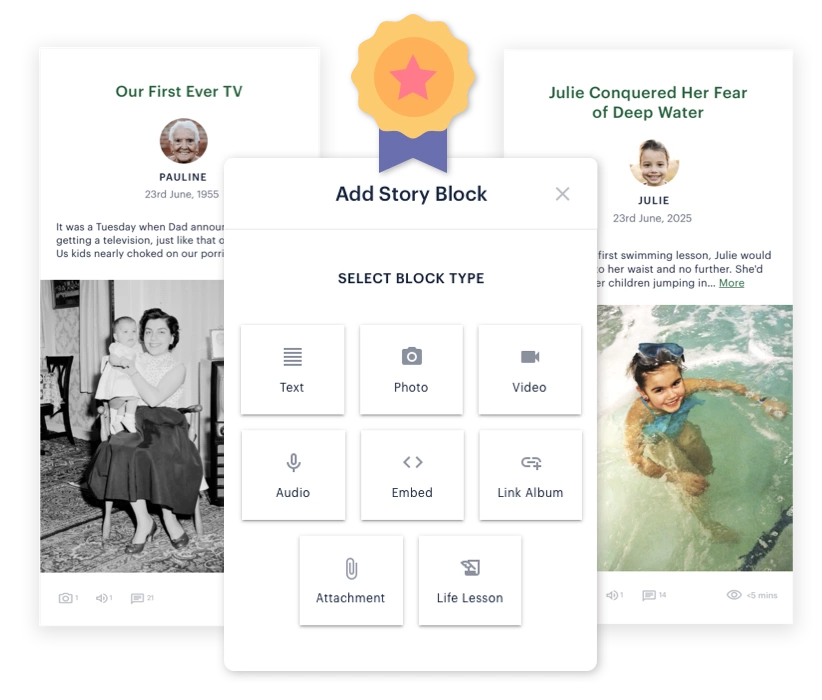
100’s of Story Ideas
Never wonder ‘what should I write about’: browse curated prompts covering childhood, career, relationships, values, and more

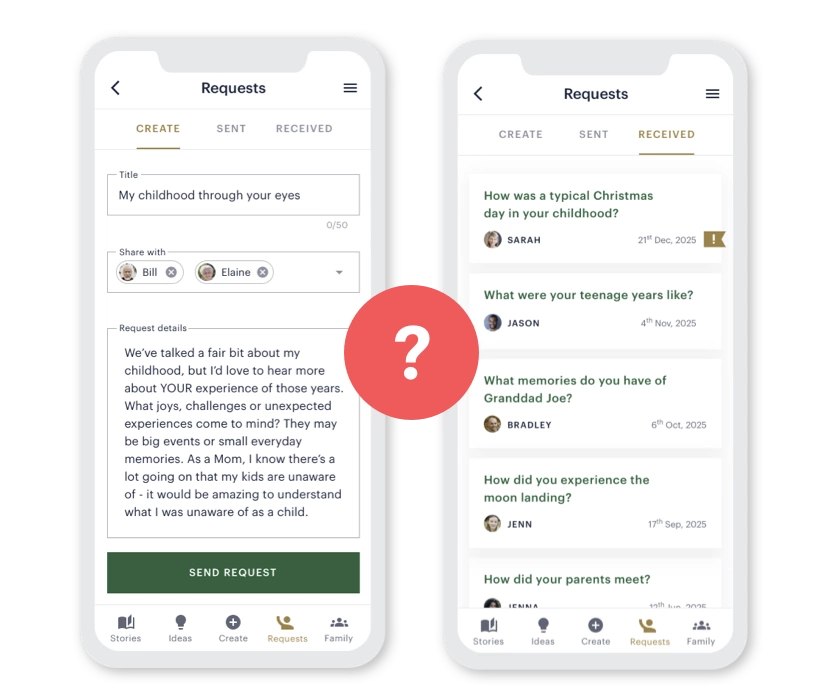
Story Requests
Send thoughtful prompts to family members asking about specific memories, making it easy for them to share stories you want to hear
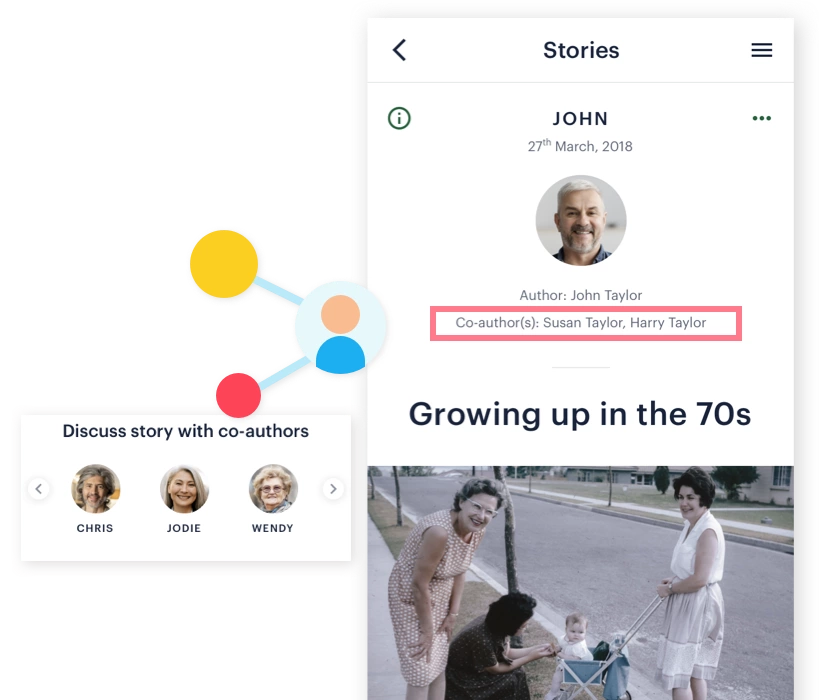
Co-author Stories
Create richer stories together with family: help grandparents capture their memories, or invite multiple relatives to add their perspectives and photos
Deeper Connections
Life Lessons
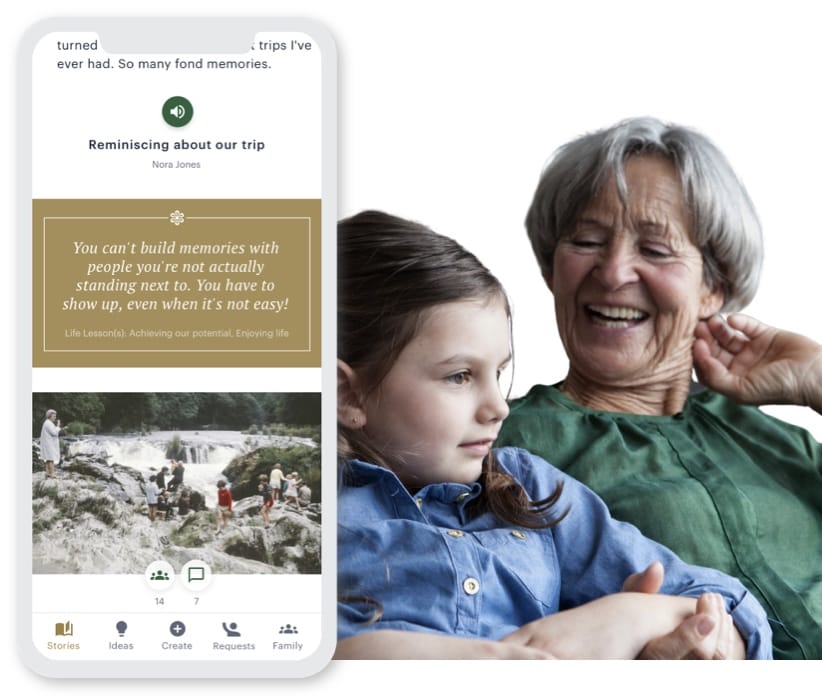
Share what you learned by adding life lesson blocks to stories, short highlighted insights, so your hard-won wisdom reaches the family members who need it
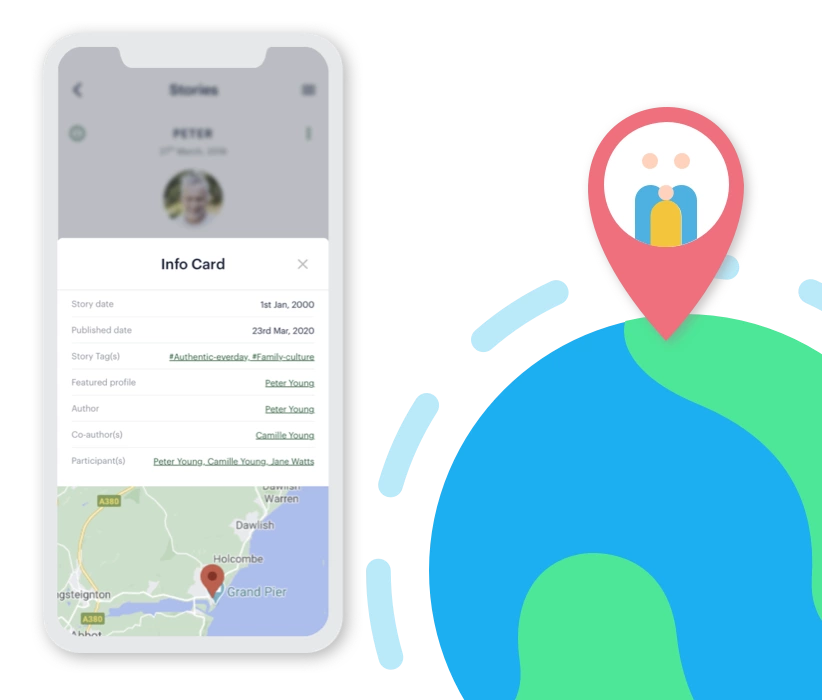
Map Your Story
Add location pins to stories so family understands exactly where memories happened, and preserve special places for future generations to walk in your footsteps
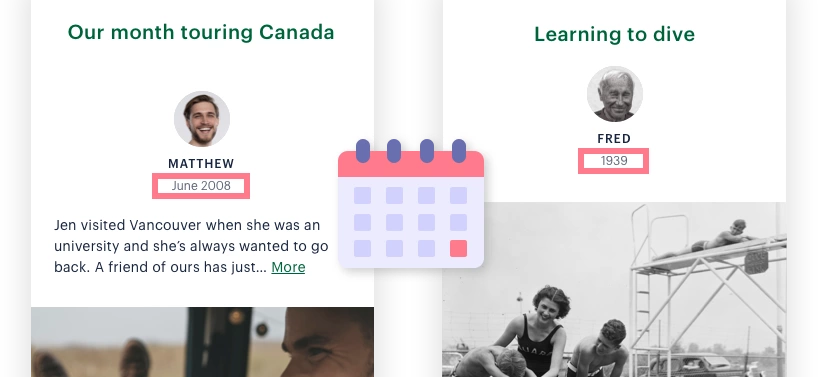
Flexible Dates
Set precise dates when you know them, or use ranges and approximations for those half-remembered but still precious moments
Organised Stories
Search With Ease
Powerful search and filtering tools help you instantly find specific stories, people, time periods, or topics within your family archive
What You Can Achieve

Saving heritage stories that would otherwise fade away
Expanding the breadth and depth of family conversations
Building a story legacy that brings family joy for many years
See family stories in action, or discover other uses of Simirity below.
Your Questions Answered
Won't less tech-savvy people struggle with using Simirity?
People who struggle to use computers will indeed need assistance with setting up their accounts. But once done, there are admin and story co-authoring options that can help, allowing you to:
- Manage their account
- Help them create stories
- Write stories on their behalf
In our experience, people capable of checking emails or using common apps, are usually more than capable of understanding the basics of story creation and finding stories of interest. Browse our demo account to see how easy it is to use, and discover how even less tech-savvy family members can participate.
Can I create profiles and stories for deceased family members?
Yes. That is a great way to have memories of them live on.
All such content will clearly indicate that you are the creator and not the deceased person.
For a loved one who has passed, see how families use Simirity for honouring lives.
Won't it take a lot of time to write a story?
Stories take only seconds longer to create than social media posts, but offer far more benefits.
A story can be as simple as a title and a photo, perhaps with a short voice narration for the personal touch. In fact, we recommend that stories be short, so people can read them within 1-5 minutes. Think bite-size stories, not book-size stories. Explore our demo app to see for yourself how simple stories can be.
Also, this is an ongoing family venture, not just you. Everyone in your family can play a different role and partake according to their time. If you are busy, just read others’ stories when time allows and optionally add comments/likes. To contribute more, send story requests to others on topics you want to hear about. You can even add co-authors to your story so family can join you in the creation process.
Who can read my stories?
Simirity gives you complete control over who can see your content:
- Perhaps everyone in your family tree
- Perhaps a select group or several individuals
- Perhaps it’s a diary entry just for you
- Or share with friends outside of Simirity using the Sharing Link feature.
So you might share some stories with one side of your family and not the other. Or create stories for you and your children’s eyes only. Whatever works for you.
Can I create stories with other family members?
Yes. Every story has a lead author who owns the story, but they can add as many co-authors as they wish. You can even message each other within the app with your story ideas.
Co-authors have most of the functionality of the lead author, including writing content, editing others’ content, uploading media files and adding voice recordings.
What exactly is a 'story'?
A story could be called a ‘post’ or ‘entry’. It’s a bit like a magazine article, just with optional videos, audio and interactive elements. See stories in action in our demo account.
A story can be super simple, in fact we recommend stories that take no more than 5 minutes to view. If you are short of time, try the following simple steps:
- Add a story title
- Upload a media file or two
- Attach a voice narration to the photos describing the backstory
- Publish
The title will make it easy to find in future years, and the voice narration is a great way to add to the memories saved in your photos.
What happens if a family member doesn't want to participate?
Family members can still stay connected without actively participating.
Some relatives may prefer to simply read stories rather than share their own, and that’s completely fine. You can still include them in updates, and over time, they might feel encouraged to contribute in small ways, like reacting to a story or adding a comment.
In addition, there is always the option to manage their profile, so you can create stories on their behalf.
Is there a mobile app for Simirity?
Simirity provides an app-like experience on smartphones, tablets, and computers, using your existing web browser. A dedicated mobile app is on our roadmap, but for now, you can enjoy the full family journal experience without needing to download anything. Explore our demo account on your mobile to see how it looks.
Can I share stories with people outside my Simirity family?
Simirity is designed as your family’s private space, and you can even add close family friends to your Simirity family so they can be part of your story sharing. For special occasions when you want to share with friends outside Simirity, like a wedding story or family milestone, the story author can create a private link to share. Your friends can view the story without logging in or creating an account.