


The basics
How It Works
Simirity is a private family journal app where your family's stories live: written, spoken, photographed, and shared across generations. The quickest way to understand it is to see a real story, so that's where we'll start.
Tell your story your way

A title, a photo, a few words.That's already a story.
Add your voice, a life lesson,whenever you like.
Then the family joins in.
Photos hold the moment. The story behind them fades unless someone tells it. Simirity helps you keep both: rich, multimedia stories that capture life as you experienced it. The interactive example below shows how photos, audio, text, and more combine into complete family memories.
The example above shows a range of things a story can hold, but almost none are required. A complete story can be as simple as one photo and a title.
Add more whenever you like: stories stay open, so you can return tomorrow or in ten years with voice recordings, videos, or another relative's memories.
Around 10% more effort than social media,
and 100% more rewarding.

If a grandparent would like a hand, or your children are too young for their own accounts, an Admin can create and manage their stories.
The difference
Why not just a Facebook Group or WhatsApp?
Your family probably has a Facebook group or a WhatsApp chat already, so it's a fair question. The better question is what you actually want, because families lean on all sorts of things: group chats, photo apps, family trees, sometimes just everyone's memory.
Below are six things families are really after. Pick the ones you relate to and see how each plays out today, and what changes with Simirity.
Prefer the detailed comparisons? Read Facebook vs Simirity and WhatsApp vs Simirity.
What would your family use stories for?
Maybe preserving your children's early years, or honouring someone you've lost. Five uses cover most families.
Inspiration
Find your next story
Most apps give your family a place to share, then leave the hardest part to you: figuring out what to say.
Simirity comes with hundreds of story ideas across 14 areas of life, from childhood mischief to lessons learned the hard way. Try the deck below to see what conversations might be waiting to happen in your family.
Optionally filter by category
Spotted a story idea for someone you love?
It might be for your parent, sibling, or grandparent. Using Simirity's Story Requests feature, you can gently encourage family members to share their experiences on topics that matter to you, creating conversations that might never happen otherwise.
Privacy
Keep it in the family
Your family's private sanctuary, where every story, memory, and moment of wisdom stays safely within your circle. You choose who sees what: share broadly with the whole family or keep certain stories between just a few members.
And it's private by design, with no ads, no algorithms, and no data ever sold.
Privacy Controls
You decide who sees what
Unlike social media, it’s never all or nothing.
You pick the audience for every story.


Share it with the whole family.
Or with a group or two.
Or just with one or two people.
You decide, story by story.


Every story, in one place.
Search for a word.
Or choose from 12 filters.Like every story by Grandma and Grandad.
On any device.
Yours to download, photos, film and all.
Family Archive
Your family story collection, organised and accessible
Every story, photo and recording in one place.
Find any memory in seconds.
Personal Profiles
Every family member's complete story in one place
Every person gets a home of their own.
Their whole life, told by everyone who loves them.
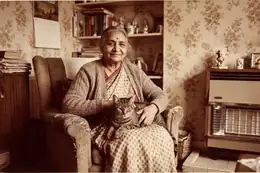
This is Grandma's profile.Everything about her, in one place.
Told by everyone who loves her.
Her whole life, at a glance.
Immerse yourself in her stories.
See who's part of her family.
Every picture and video of her.
Listen to her, whenever you want.
The lessons she passed on.
Always there, for the ones who come after.
Highlight the wisdom inside a story.
Every lesson gathers on one page.
Family find the lesson they need, when they need it.And they know who to talk to.
Then click through to the story.
And read the full context.
Life Lessons Hub
Timeless family insights that help every generation thrive
Life lessons capture the wisdom inside every story.
They gather on one page, so your family find guidance when they need it.
For inspiration, explore these life lesson questions.
Generations
Create a powerful treasured lasting legacy
Bring scattered family memories together into one lasting legacy. Every story you save, whether it honours the past or captures today, adds to something your family keeps for good.
Honour the past
Keep the memory of loved ones alive through dedicated memorial profiles. Their stories, wisdom, and voices remain part of your family's ongoing conversation, so their legacy continues to guide future generations.
Capture the present
Turn today's ordinary moments into tomorrow's treasured memories. From children's evolving perspectives to family traditions in the making, preserve the experiences that are shaping your family's story right now.
Build the future
Create connections that span generations. Every story you save today becomes a bridge to the future. It helps your children understand their roots and gives the generations after them a map of family wisdom.
our favourite feature
Story Anniversaries — keep family memories alive!
Your stories don't just sit in digital storage, forgotten like journals in a drawer.



Every device
No download needed
Simirity works in the web browser you already use, so there’s nothing to download and nothing to install. You won’t find it in the App Store or Google Play, and you don’t need to. Just sign in at app.simirity.com on any device.
Make it feel like an app
Add Simirity to your home screen and it gets its own icon, opens in its own window, and works like the other apps on your phone or tablet. Show me how
Use it on any device
Phones, tablets, and computers all show the same family journal. Start a story on your phone and finish it on the computer, or let grandparents enjoy it on a bigger screen.
Always up to date
There’s nothing to update and no storage space used on your phone. Each time you open Simirity, you’re on the latest version.
You've seen how stories work. The next question is what they could do for your family. See the five most popular uses and find the one that sounds like yours.
Still have questions?
Is Simirity just a photo book creator?
No, Simirity focuses on capturing the stories that photos can’t tell, and we do not currently offer a printed book option. While you can add photos to enhance your stories, we’re designed to help families go beyond the usual conversations by sharing the emotions, thoughts and additional context behind your images.
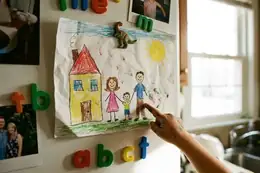
Take your child’s first day at school. In a photo book you might capture this momentous occasion in a single image, but in Simirity you can capture your child’s thoughts and feelings too, perhaps even in an audio recording where they’re sharing their views out loud. Imagine having that depth for all the important moments in your family’s life. That’s what Simirity is all about.
How is Simirity different from a family tree or genealogy app?
Genealogy apps focus on historical dates and family connections: who married whom and when they died. Simirity brings those people to life through stories that help your family feel genuinely connected to their heritage.
Think about it: knowing your great-grandmother was born in 1923 tells you very little. But hearing the story of how she met your great-grandfather during the war, or learning about her secret recipe that made the whole neighbourhood smile, suddenly she becomes a real person your children can relate to and feel proud of.
Simirity captures meaningful stories from your family’s past and present, preserving them for future generations to treasure. Rather than just mapping family history, we help you create an ongoing family narrative where your children feel like the next important link in a long family chain, connected through the real experiences and wisdom of those who came before them.
How does Simirity compare to other apps and services?
Simirity overlaps with a few familiar tools but does a different job. The short version:
- Facebook groups & WhatsApp — Built for quick updates that scroll away. Simirity guides real conversations with story prompts and keeps everything in a private archive, safe from algorithms and ads. See the scenarios above, or read Facebook vs Simirity and WhatsApp vs Simirity.
- Photo apps (Google Photos, FamilyAlbum, 23snaps) — Brilliant at storing and sharing photos, and Simirity isn’t competing with that. Simirity captures the stories, voices, and context that photos alone can’t hold.
- StoryWorth — StoryWorth interviews one person by email and prints a book at the end of the year. Simirity is built for the whole family, creating a living archive together rather than a book on a shelf. Read StoryWorth alternatives.
- Journaling apps (Day One) — Personal journals are one person writing for themselves. Simirity is family collaboration, where stories spark responses and conversations.
- Family blogs — Blogs broadcast from one author to readers. Simirity is private and two-way, with every family member contributing.
- Video calls (FaceTime, Zoom) — Simirity doesn’t replace your calls, it feeds them. Families tell us shared stories give video calls better things to talk about than the usual catch-up.
How much does Simirity cost?
Simirity starts completely free so your family can begin creating stories right away. Our free plan includes essential features for small families.
When you’re ready for unlimited stories, advanced privacy controls, and premium features, our family plans start at $6 a month for a family of ten. View detailed pricing.
Can I add my children to Simirity?
Yes. You can create child-friendly accounts so your kids can be part of the family journaling experience in a safe and private way. As a parent, you can add real-life stories to their profiles for them to enjoy in future years. When children are old enough to access Simirity independently (they must be at least 13 years of age), you may share their login details with them.
What if some family members are more active than others?
Every family is different, and that’s perfectly fine. Some people love creating detailed stories, while others prefer to read and comment. You can even help less tech-confident family members by creating stories on their behalf, or they can simply enjoy reading and responding to stories others have shared. There’s no pressure, everyone contributes in their own way.
Can I share stories with people outside my Simirity family?
Simirity is designed as your family’s private space, and you can even add close family friends to your Simirity family so they can be part of your story sharing.
For special occasions when you want to share with friends outside Simirity, like a wedding story or family milestone, the story author can create a private link to share. Your friends can view the story without needing to log in or create accounts.
Does my family need to be tech-savvy to use Simirity?
The initial setup of creating and connecting accounts is the most complicated part, but once done, it’s simple and intuitive. If your family members are comfortable sending messages or sharing photos, they will have no trouble adding stories to your family journal. Plus, if a family member needs extra help, they can assign you as their Admin so you can manage parts of their account for them.
Still not sure? Explore our demo account to see it in action.
Are stories complicated to make?
Creating a Simirity story can be as simple as sending a text message. You might just add a title and a photo to capture a moment, that’s it.
But if you want to go deeper, you have all the tools to create rich, detailed stories by combining photos, videos, voice recordings, and text. The beauty is that you choose how much or how little to include based on what feels right for each memory.
What if I start a simple story but want to add more later?
Stories stay completely flexible. You can start with just a photo and title, then come back later to add voice recordings, more photos, or detailed memories.
Many families begin with simple stories and gradually build them into rich family treasures as more memories and perspectives are shared.
Is there a mobile app for Simirity?
No download needed. Simirity is designed to give you a full app experience in your web browser on any phone, tablet, or computer. Add it to your home screen and it looks and works like any other app, with nothing to install or update.
Explore our demo account on your mobile to see how it feels.
Who's behind Simirity?
Simirity is a family business. It was built by Andrew, a father living abroad who wanted to preserve his parents’ stories and help his family feel closer while living apart. There are no investors and no ads, just a family that cares about the same things you do. Read our story.